 Skeday
Last updated November 3, 2026
Employee schedule Excel template
Download the employee schedule files
Start with the filled Northside Salon example. Download the editable Excel workbook, print the PDF, or make a matching copy in Google Sheets. No account or email is required.
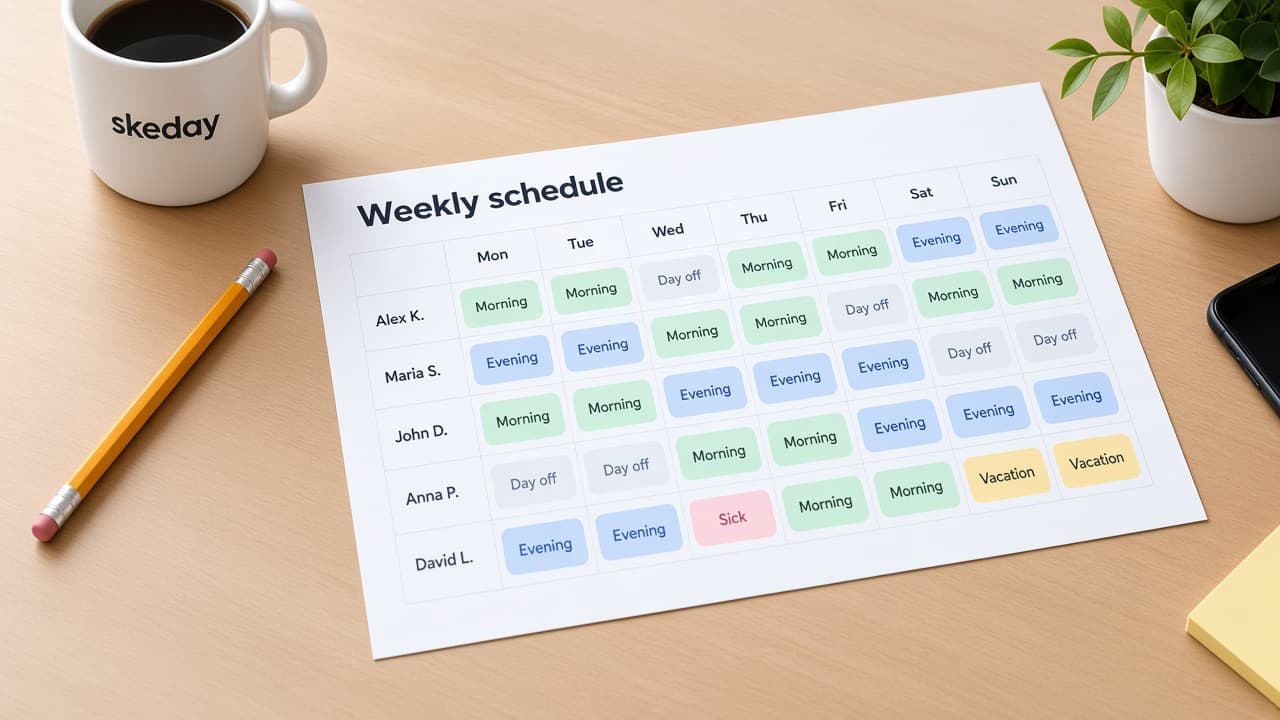
An employee schedule Excel template is useful when your team already works in spreadsheets. This one starts with a fictional Northside Salon week: four people, two shifts, roles, dates, and days off. Replace the sample data with your own team and keep the layout if it fits.
The workbook is editable and opens in Excel or Google Sheets. The PDF shows the same example in a print-ready layout. The files are starting points. They do not assign shifts, check coverage, or keep a live schedule current after you send a copy.
What the Excel template contains
The workbook has a title, company name, week, shift legend, and weekly grid. Day runs from 09:00–17:00. Late runs from 11:00–19:00. Alex, Maria, and John are stylists. Anna works the front desk. The sample marks each working shift and each day off from November 2 through November 8, 2026.
The names use first names and surname initials because the file is public. Delete the example rows or replace them before using the workbook for a real team. Do not put private employee information into a file you plan to share publicly.
How to edit the schedule in Excel
Replace Northside Salon with your company name. Change the sample names and roles, then edit the dates if the week is different. Update the shift legend before changing Day or Late cells so the hours remain clear to anyone reading the sheet.
Add rows for more people and copy the cell formatting. Mark days off in the grid. Keep one saved workbook as the working version, and export a PDF only after the manager has checked the week. Excel gives you control over the file, but it also makes version control your responsibility.
Open the workbook in Google Sheets
You can upload the XLSX file to Google Sheets or make a copy of the matching public Sheet. The copy link starts from the same Northside Salon data. Choose Make a copy before editing; do not request edit access to the source.
After upload, check the merged title, date headings, colored shift cells, and printable layout. Google Sheets may adjust some formatting during import. The cells remain ordinary spreadsheet values, so you can change names, shifts, and days off.
Excel or a published schedule?
Excel is a good fit when you need formulas, custom columns, budgets, reports, or a file that stays under your control. It is also useful when the team already has a careful spreadsheet process.
A published schedule solves a narrower problem. The manager keeps a private draft, publishes one read-only link, and updates that same link when the week changes. Employees do not need an account. A PDF with a QR code can put the week on the wall while the link remains the current online version.
Choose the workbook when the file is the product. Choose the workspace when the team needs one current schedule to open.
What this Excel template does not do
This workbook stores a schedule but does not calculate payroll, track attendance, check coverage or employment rules, collect swaps, send notifications, or assign people.
Keep one version after editing
If you continue with Excel, agree where the current workbook lives and who can edit it. Rename or archive old versions so an employee does not open last week’s file. Export a PDF only after the schedule is complete.
If version confusion is the problem, move the finished week into the workspace. Build or import the schedule, review the draft, publish it, and share the read-only link. The team checks one address instead of searching through attachments.
Employee schedule Excel template questions
Can I download the Excel schedule template without an account?
Yes. The XLSX and PDF download directly. No account or email is required.
Can I open this employee schedule template in Google Sheets?
Yes. Upload the XLSX or make a copy of the matching Google Sheet. Check the formatting after import.
Can I add my own employees and shifts?
Yes. Replace the fictional names, roles, dates, and shift labels. Keep the shift legend clear when you change the hours.
Does the Excel template update a link for employees?
No. Excel stores a file. Use a workspace when employees need one read-only link that shows the latest published week.