 Skeday
Create the week
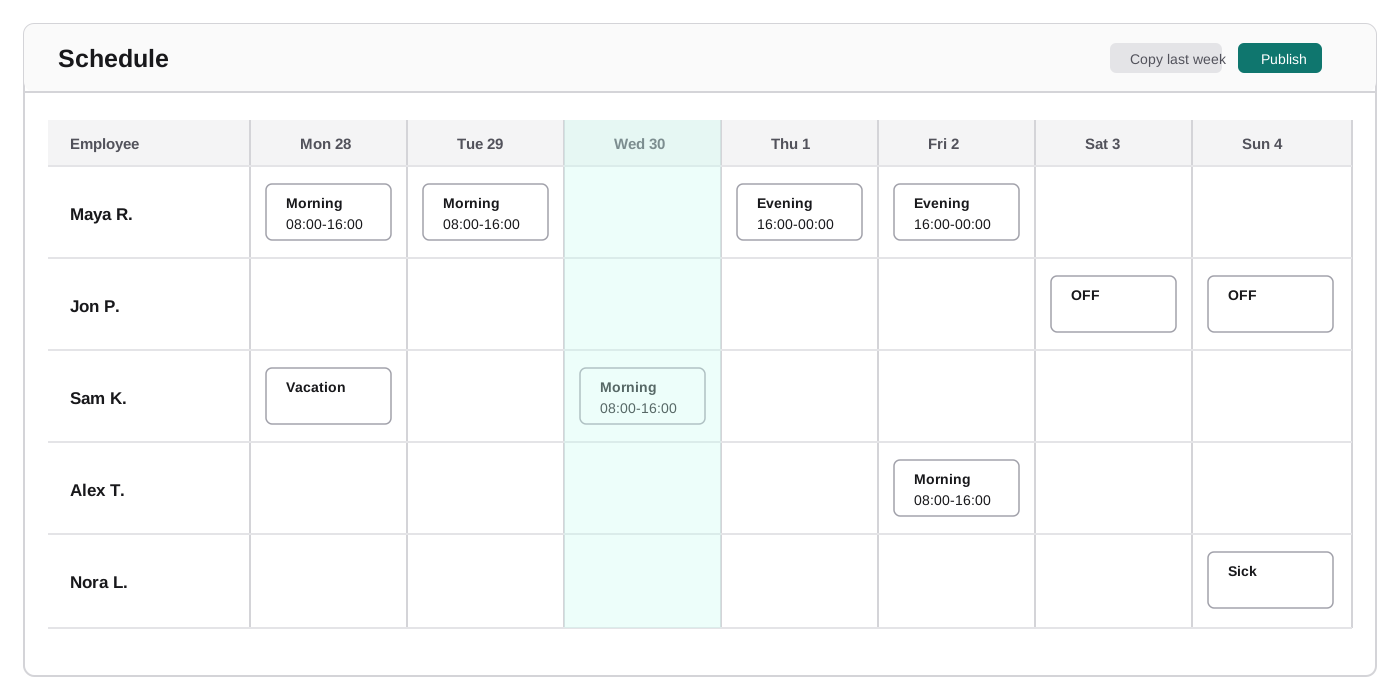
Add the team and the shifts you repeat. Copy last week, then change only the days that moved. This work schedule maker does not start the week as a spreadsheet.
Weekly scheduling for small frontline businesses
Build a weekly employee schedule for a small frontline business. Update it in one place, and share one link instead of an Excel file.
$9/month for the whole team, not per person. 14-day trial, no card.
Build one week before you sign up
Add your people and shifts, fill one week, then print it or save it as a PDF. No account is required.
Free one-week maker
Build one week here. Print it or save it as a PDF without an account.
Add a person to start filling the week.
Add a shift before assigning working time.
Choose a cell to assign a shift or time off. The table is the same weekly grid used in Skeday.
9 Mon
0h scheduled
10 Tue
0h scheduled
11 Wed
0h scheduled
12 Thu
0h scheduled
13 Fri
0h scheduled
14 Sat
0h scheduled
15 Sun
0h scheduled
These totals add shift hours for everyone. They do not check an overtime or legal limit.
Ctrl+C copy, Ctrl+V paste, Ctrl+X cut, Ctrl+Z undo, Ctrl+Shift+Z redo. Use ⌘ on Mac.
| Employee | 9 Mon (today) | 10 Tue | 11 Wed | 12 Thu | 13 Fri | 14 Sat | 15 Sun |
|---|
This draft stays in this browser tab until you close it.
Build one week here. Print it or save it as a PDF without an account.
Simple on purpose
Add the team and the shifts you repeat. Copy last week, then change only the days that moved. This work schedule maker does not start the week as a spreadsheet.
A shift change or time off stays on that week. A draft stays private until you publish, so the team follows the finished schedule.
Share a work schedule with a read-only link, or use a printable PDF with a QR code for the wall. People open the latest week instead of an emailed Excel file.
Employee scheduling for a small business starts with one week, not an account for every employee. A small frontline team marks the week, publishes once, and shares one current schedule.
Your employees open the shared link. They do not sign in.
Days off stay on the week. There is no day-off request and no approval step.
Talk where you already talk. The schedule the team follows is the one you publish.
Copy last week instead of duplicating a workbook tab.
Edit the day here. The team does not receive the file.
One current schedule replaces the copied file and the chat message that may be old.
A printable PDF whose QR code opens that same link.
Excel can hold a rota. Skeday keeps the week in one place: create it, change it, and share it.
Skeday is employee scheduling software for one small frontline business. The employee scheduling app and the work schedule app are the same browser page. The team opens a link. Nobody installs a program.
Staff scheduling software here is the week you fill in. Shift scheduling software that assigns people by itself is a different product. You set the shifts you repeat, copy last week, and change the days that moved.
Restaurant scheduling software on this page is lunch and dinner for one team. Retail scheduling software is who opens, who closes, and who is off.
No. They open the shared link. They do not get an account.
No. The schedule opens in the browser.
It runs in the browser. Employees do not install it, and they do not sign in. They open the published link.
One company, up to 50 people, the shifts you repeat, copy last week, a private draft, one published link, and a PDF with a QR code.
Yes. A restaurant week is lunch and dinner. A shop week is open, close, and who is off. Each is one team and one published link.
Yes. The wall PDF has a QR code that opens the same link.
The link the team already has shows the new week.
$9 a month is for the whole team, not per person, after a 14-day trial with no card.
Create the week, publish it, and stop passing an Excel file around.
Start free